

Process approach in business management
Process business management is the foundation of lean organization — it allows you to systematize activities, eliminate waste and react quickly to market changes. Learn about the process approach, the benefits of implementing BPMS, and how modeling, automation and process monitoring in Creatio translate into real operational improvements.

The process approach to business management consists of collecting all the activities carried out in the organization into collections called processes, which are constantly modified and improved in order to achieve the most optimal results for a given moment.
This strategy is particularly relevant in the context of manufacturing companies that implement lean methodologies (lean manufacturing and lean management).
Control over the processes allows not only to carry them out efficiently, but also to conduct an ongoing analysis for their weight loss. Thus, it can be said that an organization cannot be lean without maximally depleted processes.
The most important factors in the process approach
Process-oriented companies measure three factors, both in the context of all their processes separately and in their set as a whole of the organization's activities:
- Vision — describes the goal that the organization wants to achieve in a broader perspective. Based on the vision, the strategy of the enterprise is formed. It is a motivation to push forward and reach new heights.
- Mission — describes the most important reasons for the functioning of the organization and processes. The mission should be constant and not change too abruptly over time, as it is the foundation for decision-making and the creation of a long-term strategy.
- Values — based on the list of values, managers make decisions whether a given action is appropriate or not for the good of the company. Well-written values form the basis for creating and revising a company's long-term strategy.
The biggest advantages of a process approach to managing a manufacturing company
The implementation of process management of a manufacturing enterprise carries a number of advantages and benefits. These include, but are not limited to:
- Process improvement cycle, which consists of continuously measuring the factors (KPIs) that describe the processes, analyzing their change in value over time, drawing conclusions from the committed ones, and modifying the processes in such a way as to improve their performance. Almost every process management methodology describes the process life cycle as an endless loop for continuous improvement.
- Understand the relationships that occur between different business processes that at first glance may not affect each other. This translates into making more accurate and confident decisions.
- Systematizing all activities carried out in the organization, in a way that leaves no room for free interpretation, clearly establishes the scope of duties and responsibilities, and increases the security of information.
- Companies with mature business processes save money on IT system implementations because they can clearly define the objectives that the new software is supposed to meet.
- The process approach to management allows you to quickly adapt to changing market conditions by modifying processes, expanding them with new objects and functions, and creating new ones.
What is BPMS (Business Process Management System)?
Find out how BPMS can benefit your business.
BPMS stands for “Business Process Management Software” or “Business Process Management System”. BPMS is a tool used to implement a management methodology to improve the business processes of an organization through their identification, modeling, automation, analysis and performance measurement.
A key advantage of BPMS is that its users have the opportunity to actively participate in the improvement of business processes through simple and intuitive tools. All this is possible thanks to three components: means for building processes, their implementation (platform) and monitoring (process library).

Business Process Modeling Concept
With business process modeling, you can easily graphically represent workflows or business procedures. The use of data flow diagrams and flowcharts allows you to identify potential improvements.
Using business process modeling (BP), two different states can be mapped, such as the current state of the processes (the so-called AS-IS state) and its future state after improvements or changes have been made (the so-called TO-BE state). However, it should be emphasized that process modeling is best carried out in the context of IT solutions supporting them. Thanks to this, it will be possible to avoid later, costly customizations of IT solutions.
The main benefits of process modeling include: improving the efficiency of the execution of processes through standardization and the use of best practices, enabling process management with the identification of persons responsible for the effective course of the process, facilitating the adaptation of new employees to the organization, or enabling the monitoring of the execution of processes.
It is also worth making sure that BPMS software supports recognized process modeling standards. The leading standards (so-called notations) include, for example, BPMN 2.0 (more on this below).
Stages of the procedural approach
- Definition and Analysis of the Process
A process is a sequence of actions that are performed to achieve a certain result. Before automating workflows, processes require documentation. Process documentation requires collaboration and planning between stakeholders to determine the most effective and appropriate actions to accomplish the task. The business process flows can then be recreated within the business process management system and verified by the appropriate team of employees to ensure an effective representation of the process.
- Process Design
For modeling business processes in the system, a design environment is necessary. The tools used by the designer to model business processes are presented in the form of flowcharts and diagrams. The set of rules and elements that are used to model processes makes it flexible. The undoubted advantage of modeling a company's business processes in BPM systems is that these processes are not only documented, but are also tested. Thanks to this, the user can make changes to correct imperfections even before starting the system.
- Automation
Automation is the way in which a process is carried out with minimal intervention. Workflow automation helps companies better manage and optimize processes. Building automation involves combining actions and putting in place the mechanisms needed to simulate the behavior and outcome of the process. The greatest chances of automation are those tasks that are repeated frequently, are typical routine work in the daily functioning of employees and can be completed faster thanks to an automated process.
- Analytics
Business process management applications offer multiple levels of reporting or the ability to integrate with reporting tools to provide analytics on process performance. Reports are linked to key performance indicators and provide data on the effectiveness of processes, team members, teams, etc. Data analytics can help determine operational inefficiencies for continuous improvement of operations and processes.
Modeling and process automation on the Creatio platform
Configuration
Creatio helps you solve a variety of business issues — from managing employee profiles and consolidating all customer data in a single environment to improving multi-channel customer communication. In addition, managing daily tasks and activities is easier with integration with Google Calendar and MS Exchange/Office365.

Process monitoring
BPM solutions are more than just modeling and automating the execution of business processes. An equally important function of this class of systems is monitoring and in-depth analytics of all business processes in the enterprise. In addition, monitoring processes, identifying and eliminating bottlenecks of processes, their optimization based on these indicators is the most complex task. System tools allow you to obtain relevant information and measure the process more accurately. In the Creatio system, such a tool is the log (log) of the process. With the availability of a process log, you can track any performance metrics and visualize this data using dashboards.

Design and execution of processes
Creatio enables automation to streamline any business process, allowing you to achieve the desired results faster. The intuitive process builder allows non-IT users to easily create business processes. All processes in Creatio are stored in the process log, which allows them to be effectively analyzed using any metrics.

Dynamic Case Management
Dynamic Case Management (DCM) is a software-based approach to managing, streamlining, and automating operational processes. DCM provides users with the ability to manage unstructured processes. Users are able to easily change, delete or add the necessary stages and steps. With the help of the case engine, the system suggests the next steps needed to achieve the best results of the process.
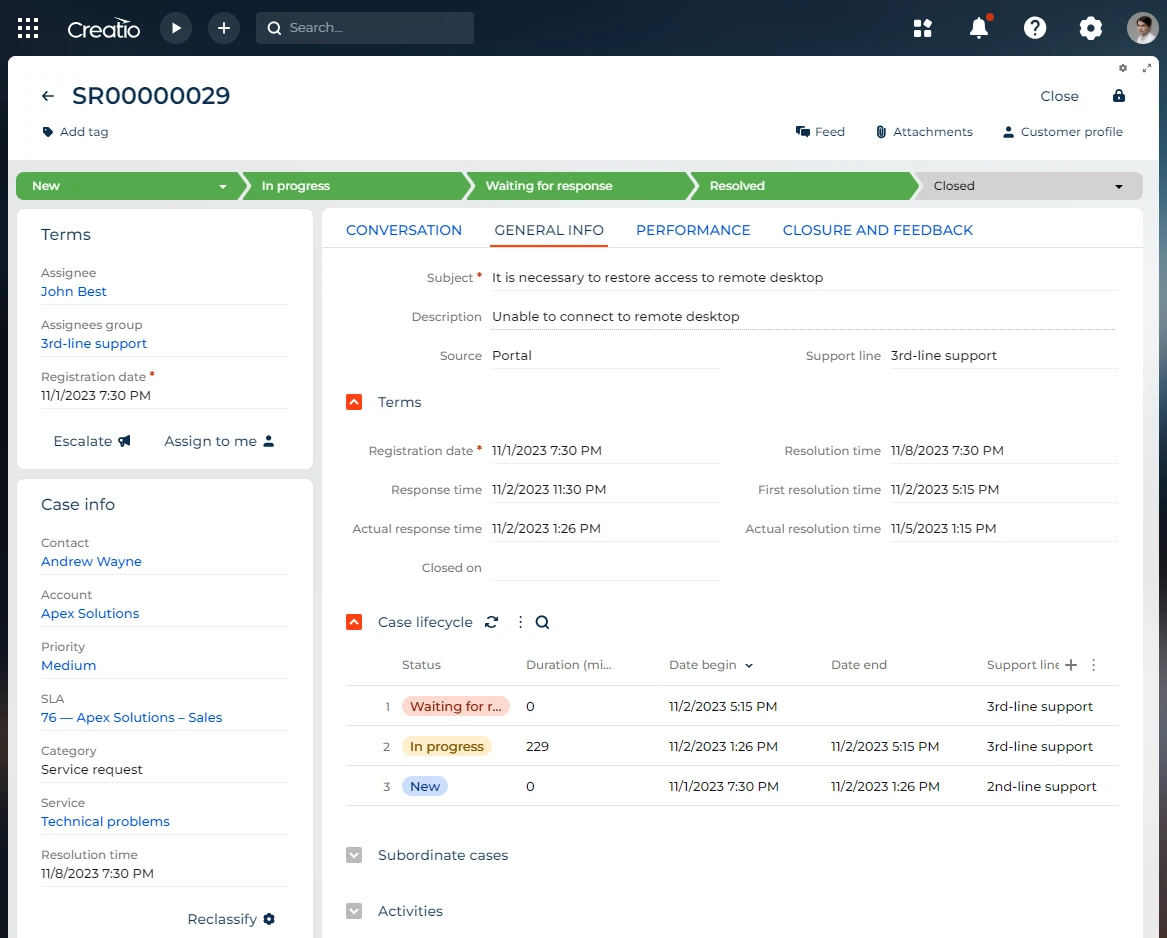
Ready-to-use process library
Creatio has a ready-to-use process library — a convenient platform on which the company can store an accurate diagram of the workflow and processes in the organization. Workflows are available to teams across departments and provide detailed instructions on how to complete a procedure from start to finish. Processes can also be modified as needed to adapt to the changing needs of the company.

BPMN Support
BPMN (Business Process Modeling Notation) is a visual modeling language used to represent business processes. BPMN is derived from the synthesis of many notations of business modeling. It was originally published by the Business Process Management Initiative (BPMI) in 2004. The latest version is BPMN 2.0. — published in January 2014.
The flexibility and ease of use of BPMN 2.0 make it ideal for most business process modeling tools. Its simplicity is achieved through transparency — the conventions used to display business processes are described in the form of diagrams and flowcharts. Flexibility is achieved through a set of elements and rules, with the help of which not only IT specialists, but also ordinary users can build business processes. The notation language is understandable at the user level, and all process models are executable, not just documented.
